
Welcome to the wonderful world of 3D Printing! Whether you design your own object through software such as TinkerCad or find it on a website like Thingiverse, we can help bring what's on your screen into the real world.
Save your object as an .STL, upload your file to Make At State, and add it to your cart (green icon). Next you can select your desired printer, material, color, dimensions, and pick up option. Please add additional specifications to the notes field. You will get an email with a price quote and estimated delivery date. Once you pay, we can start printing your object. Your print might be completed before or after the estimated delivery date based on factors such as current demand, unexpected delays, printer errors, and when the price was approved.
You can select which 3D printer you would like to have your object printed on based on information provided below, or our staff can determine which machine would be most efficient for your object. Cost is based on the final weight of the object (support material included) and the material used. Prices can fluctuate depending on the material used in the process with a minimum cost of $3.00 per order.
Rates:
| Type of Print: | Price per gram: |
|---|---|
| PLA | $0.20 |
| ASA, PVB |
$0.25 |
| PETG, TPU | $0.30 |
| Resin | $0.50 |
Equipment:
Prusa MK3S
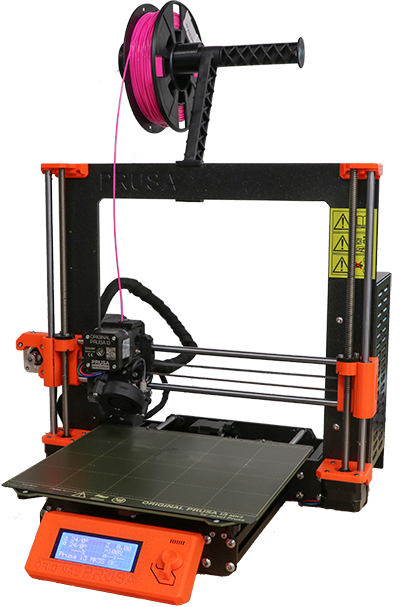
Regular PLA
Ultimaker S5
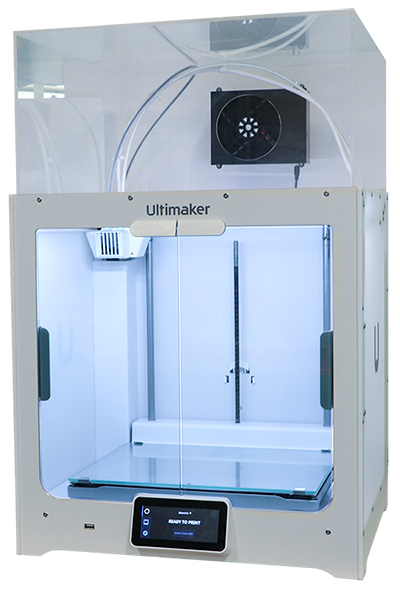
Ultimaker TPU
Ultimaker PETG
Ultimaker PLA
Ultimaker ASA
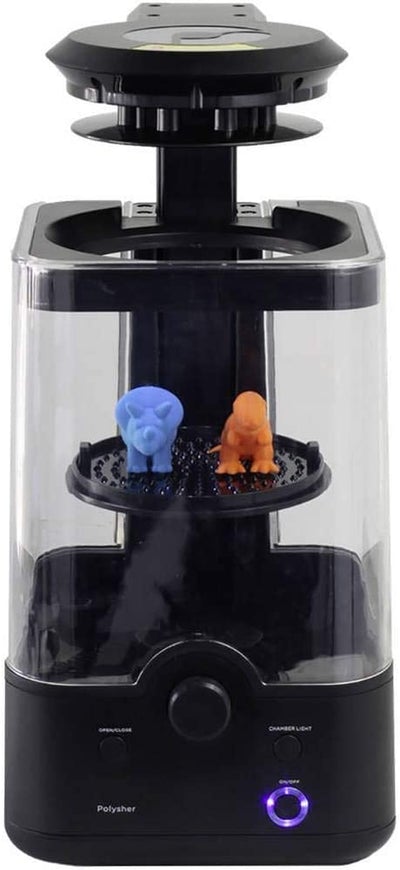
Polymaker: Polysher
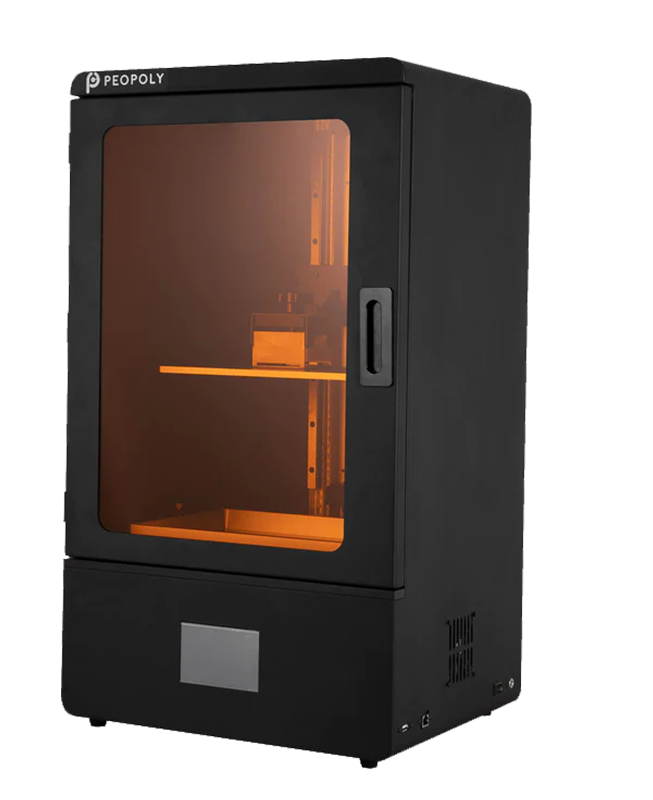
Peopoly Phenom L
3D Printing Filament Descriptions:
**No longer providing ABS or nylon**
PLA
This versatile plastic is a great choice for most projects. Whether you are just beginning your journey into the world of 3D printing or designing advanced artistic models, PLA offers the widest variety of color options and a great surface quality. It accepts paint and super glue well. PLA is made from corn starch and is the most environmentally friendly filament. It will biodegrade but in an ordinary room it will last for hundreds of years. PLA is very brittle and will snap under pressure.
- Attributes: Variety of Color, Surface Quality, Paint/Glue friendly
- Resistances: Water
- Weaknesses: Brittle
- Best uses: Most 3D projects
- Similarities: PVB
ASA
A more durable and high impact plastic that is perfect for most 3D printing projects such as engineering or outdoor purposes. ASA is very similar to ABS but because of its mechanical properties and strong UV resistance it would be considered a successor to ABS. It is dissolvable in acetone, which works well for post processing. Overall ASA is a tough, durable, and water resistant plastic that works well for many projects.
- Attributes: Durable, high impact
- Resistances: UV Light, Water
- Weaknesses: Acetone
- Best uses: Most projects, including engineering and outdoor
- Similarities: (Superior to) ABS
PETG
PETG is an exceptionally durable material that resists breakdown from water and other chemicals. It is more impact resistant but less rigid than ASA. Under stress it will flex or deform before breaking. The surface quality is not as good as other materials and it is nearly impossible to glue or paint. This is a great material for models that need to be slightly flexible, very durable and UV resistant, but not meant for aesthetics. Please anticipate a longer printing time with this material.
- Attributes: Durability, Flexibility
- Resistances: Water, Chemicals, UV Light
- Weaknesses: Cannot be painted, difficult to glue/repair
- Best uses: Utility models
- Similarities: ASA (more impact, less rigid)
PolySmooth PVB
A unique material used to create visual models or design parts. When exposed to isopropyl alcohol, PVB transforms into a glossy and smooth material with transparency. This material is not water or chemical resistant so soluble supports would not be recommended to be printed with this material. PVB also has similar mechanical properties to PETG but melts at a lower temperature.
- Attributes: Smooth/glossy transparency with Isopropyl alcohol exposure
- Resistances:
- Weaknesses: Water, Chemicals
- Best uses: Visual Models, design parts
- Similarities: PETG (but melts at lower temps)
TPU 95A
TPU 95A is a rubber-like material that is best used for prints that need to be durable and flexible. Its resistance to wear and tear is proven by its Shore A hardness of 95 and up to 580% elongation before breaking. TPU 95A also has quality resistance to chemicals and common industrial oils when it comes to corrosion. Painting a model is possible with a proper primer/adhesion promoter.
- Attributes: 95A hardness, rubber-like
- Resistances: Chemicals, Abrasion
- Weaknesses: Difficult to paint and allow flexibility
- Best uses: Simple models and shapes that need to be flexible
- Similarities: none
Resin
Our most detailed option, resin has many advantages not found in our other materials. Resin prints are great for small figurines that need to retain detail, or complex research prototypes. Layer lines are less visible and the overall surface quality is very high and smooth. Please anticipate a longer printing time with this material.